
Open the location.
View the reported pilot or takeoff position and open it in maps.
DroneLook Command
See drone locations, reported height, speed and flight paths from Remote ID broadcasts.
Set alerts for your sites and export flight records from your browser.
View live locations, reported height, speed and flight paths. Select a drone to see its Remote ID details and any reported pilot or takeoff position.
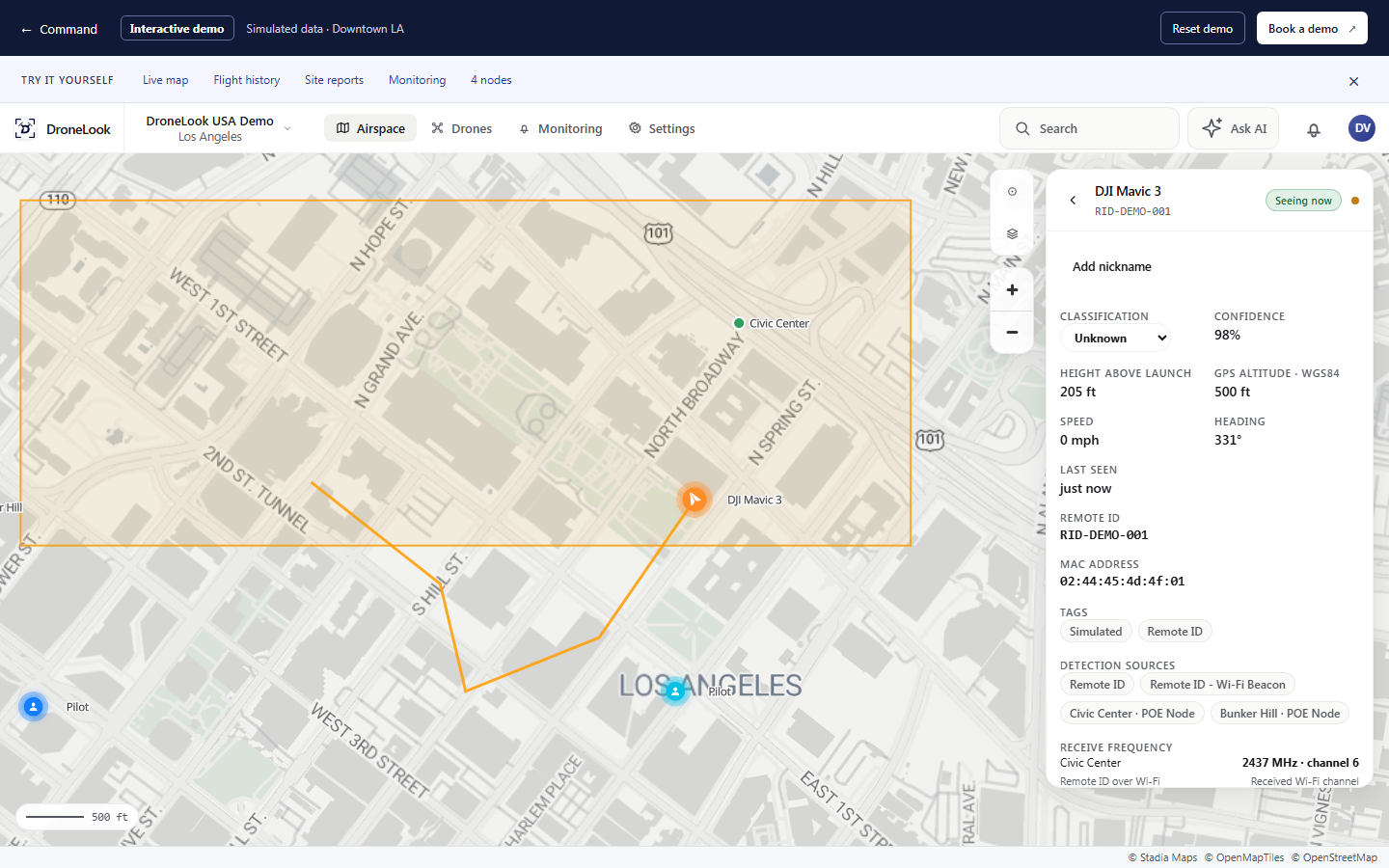
The interactive demo follows four simulated aircraft over Downtown Los Angeles: DJI Mavic 3 RID-DEMO-001, DJI Air 3S RID-DEMO-002, DJI Mini 4 Pro RID-DEMO-003, and Autel EVO II RID-DEMO-004. Four sample nodes are positioned at Civic Center, Bunker Hill, Arts District, and South Park. Select an aircraft to inspect its Remote ID, flight trail, reported height, speed, and available pilot location. All activity is simulated.
Review the route, reported height, speed and pilot positions, with timestamps for each recorded observation.
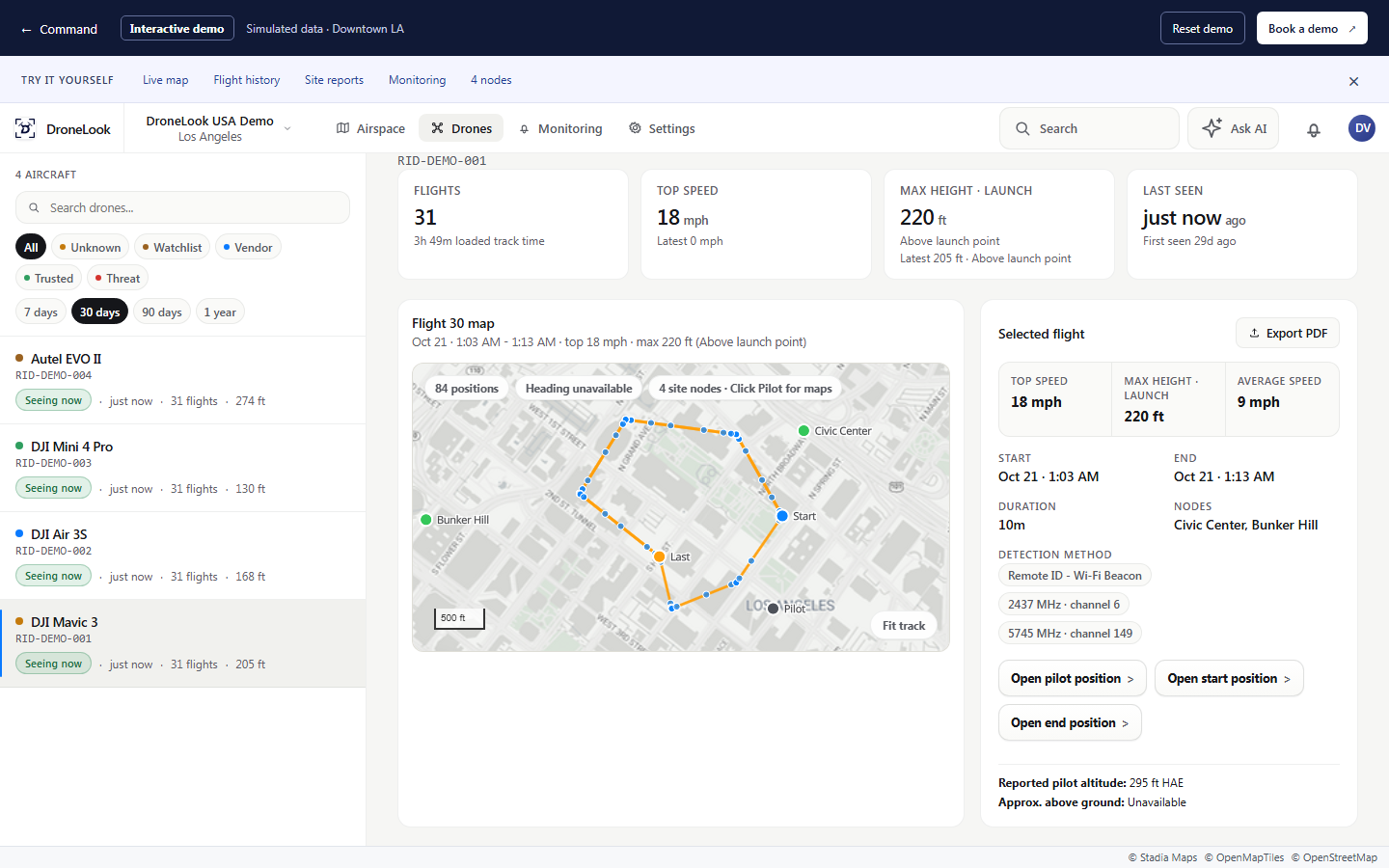
Flight history uses the same four aircraft and Downtown LA nodes as the live demo. Thirty days of sample flights are available. Open a flight to replay its recorded route, inspect timestamped observations and available pilot positions, or export the sample record. All records and locations represent a simulated deployment.
Choose a site or map area and a timeframe. Export a PDF summary with recorded flight maps and details.
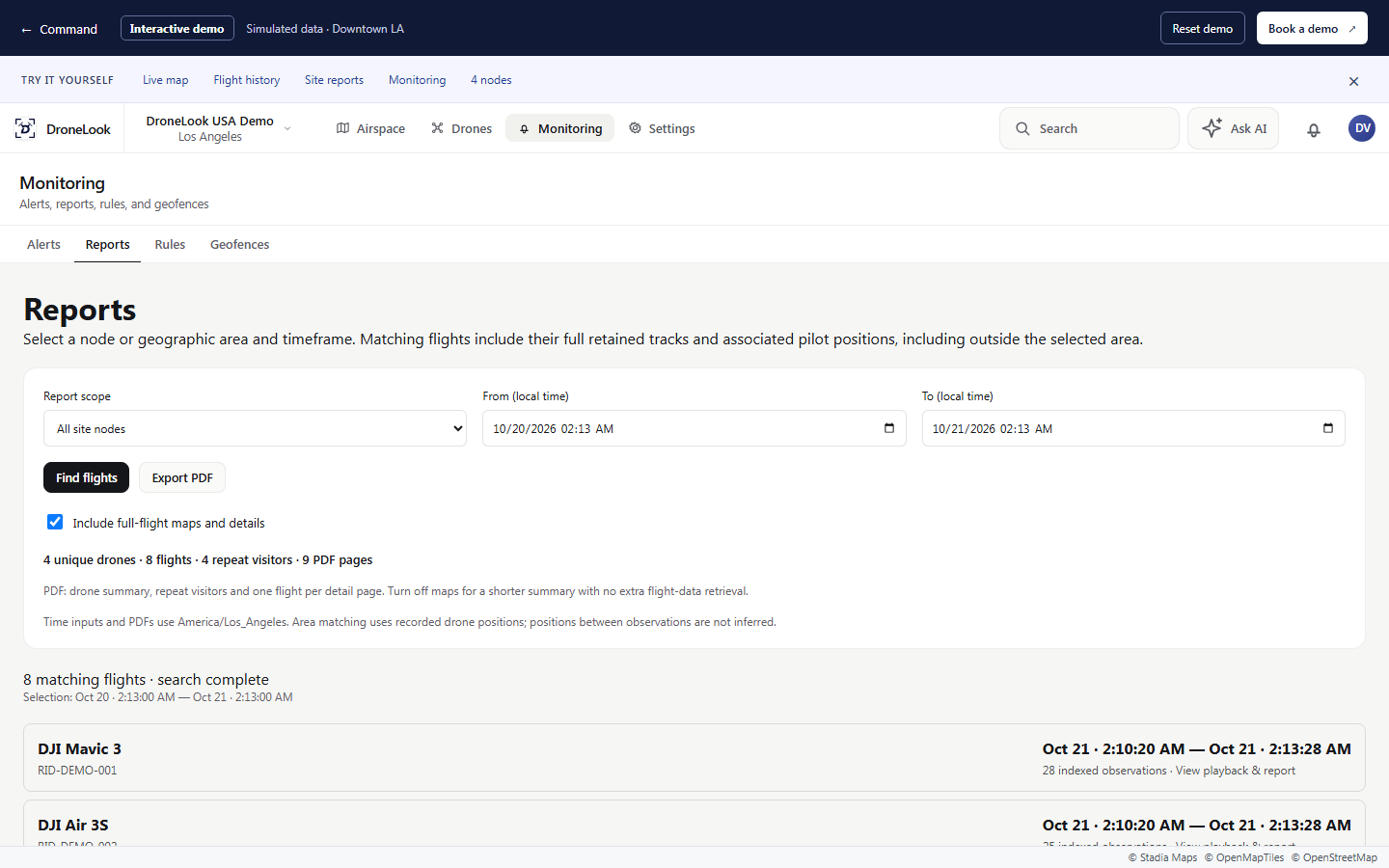
The report workspace searches the Downtown LA demo history by timeframe and location. Results use the same DJI Mavic 3, DJI Air 3S, DJI Mini 4 Pro, and Autel EVO II shown in live tracking and flight history. Sample PDF reports can include aircraft counts, flight summaries, routes, and reported pilot locations. The data is simulated.
Set rules for your sites, review alerts in one inbox and open the related flight. Acknowledge an alert once your team has reviewed it.
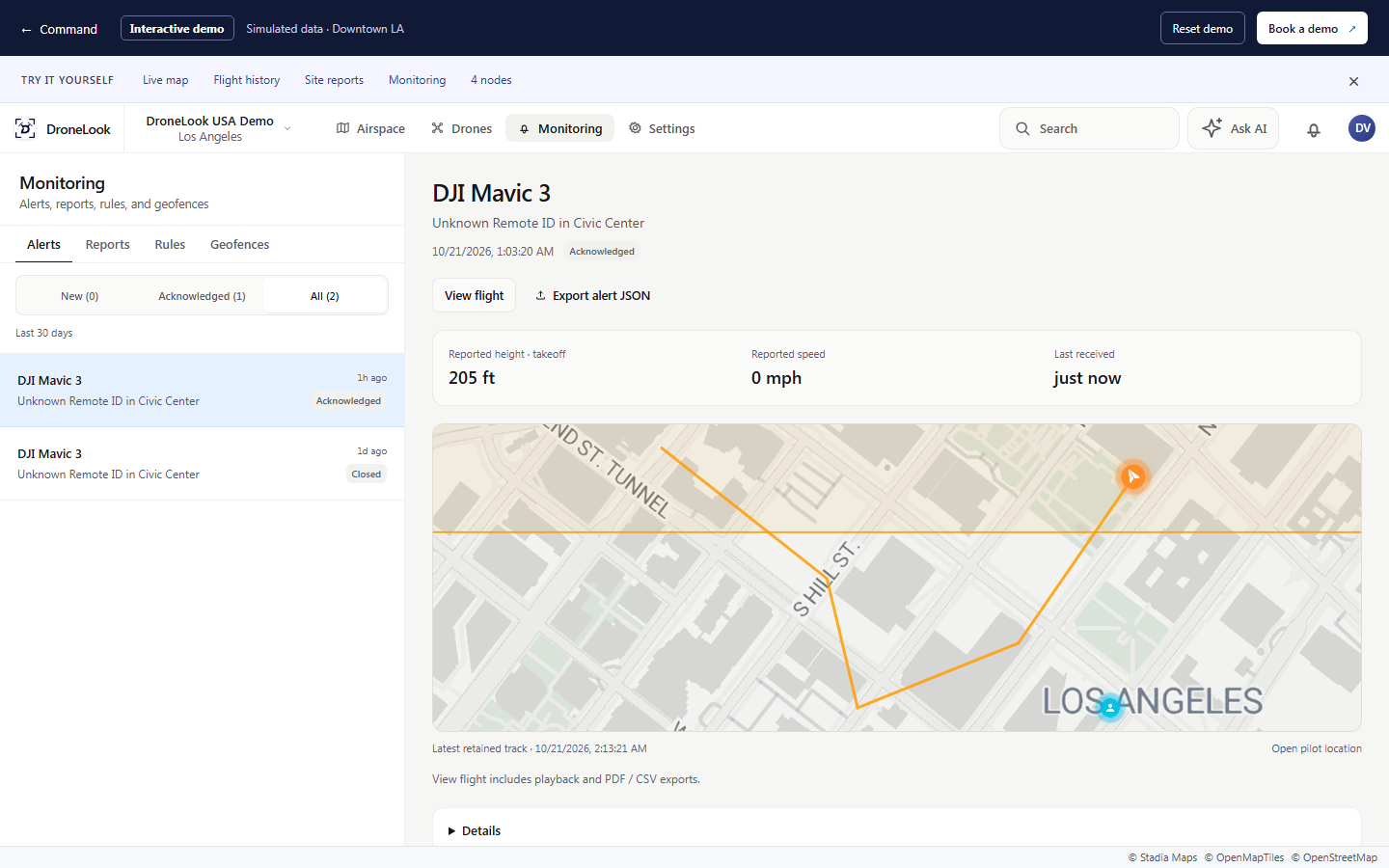
Monitoring shows sample activity alerts from the Downtown LA scenario. Each alert connects to a demo aircraft and its flight record. Visitors can review the route, acknowledge an alert, and try monitoring rules within their own demo session. No real messages or device commands are sent.
Pilot location
When a drone broadcasts a pilot or takeoff position, Command shows it on the map alongside the flight.
View the reported pilot or takeoff position and open it in maps.
See the pilot positions recorded with a flight.
Export available pilot positions alongside the aircraft details and flight path.
Pilot and takeoff locations depend on the aircraft and its broadcast.
Site & flight reports
Select a location and timeframe. Export the recorded activity as a PDF to share with your team.
Select a site, a node or an area on the map.
Review matching flights, aircraft counts and repeat visitors.
Export a site summary, with recorded flight maps and details when needed.
Include recorded flight paths and pilot positions, even when part of a matching flight falls outside the selected area or timeframe.
Download a flight PDF, its observation data as CSV, or both together.
Ask for a reporting demoMulti-site monitoring
View drone activity across the locations your team manages. Switch between live tracking, alerts and recorded flights.
Discuss your sitesSee activity from the sites you have access to, with each flight linked to its location.
Open the flight behind an alert to review the route and available pilot position.
We’ll plan fixed node placement and connectivity for your sites. Check connection status in Command to see which nodes are reporting.
Remote ID is a drone’s broadcast of its ID, position, altitude, and speed over Bluetooth or Wi-Fi. DroneLook receives supported broadcasts and displays them on a map.
Built-in Remote ID reports the control station’s location. An add-on broadcast module reports the takeoff point instead. This is the source of the reported pilot or takeoff location you see in DroneLook.
The outdoor node has an approximate detection range of 2–4 miles. Range varies with the RF environment and site conditions, and may be greater or less.
Read the FAA’s Remote ID overviewWalk through live detection, pilot locations, and reporting with your team’s sites in mind.