
Power and data over Ethernet
Standard PoE connects the node to power and your network through one cable.
Remote ID drone detection
Detect drone activity. See where it’s happening. Give your team the alerts and flight history to investigate and respond.
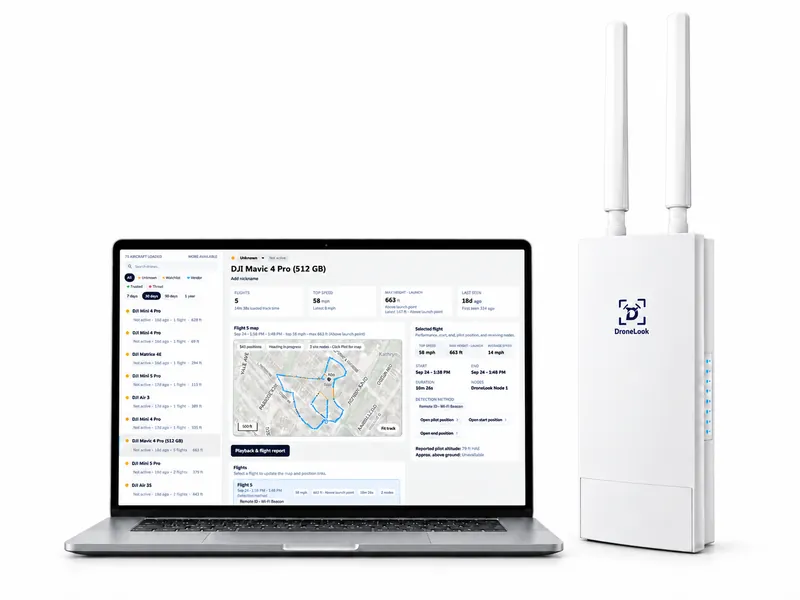
Range varies with the RF environment and site conditions, and may be greater or less. Specifications shown apply to the outdoor node.
DroneLook Command
View live locations, reported height, speed, and flight paths. See the reported pilot or takeoff position when available.
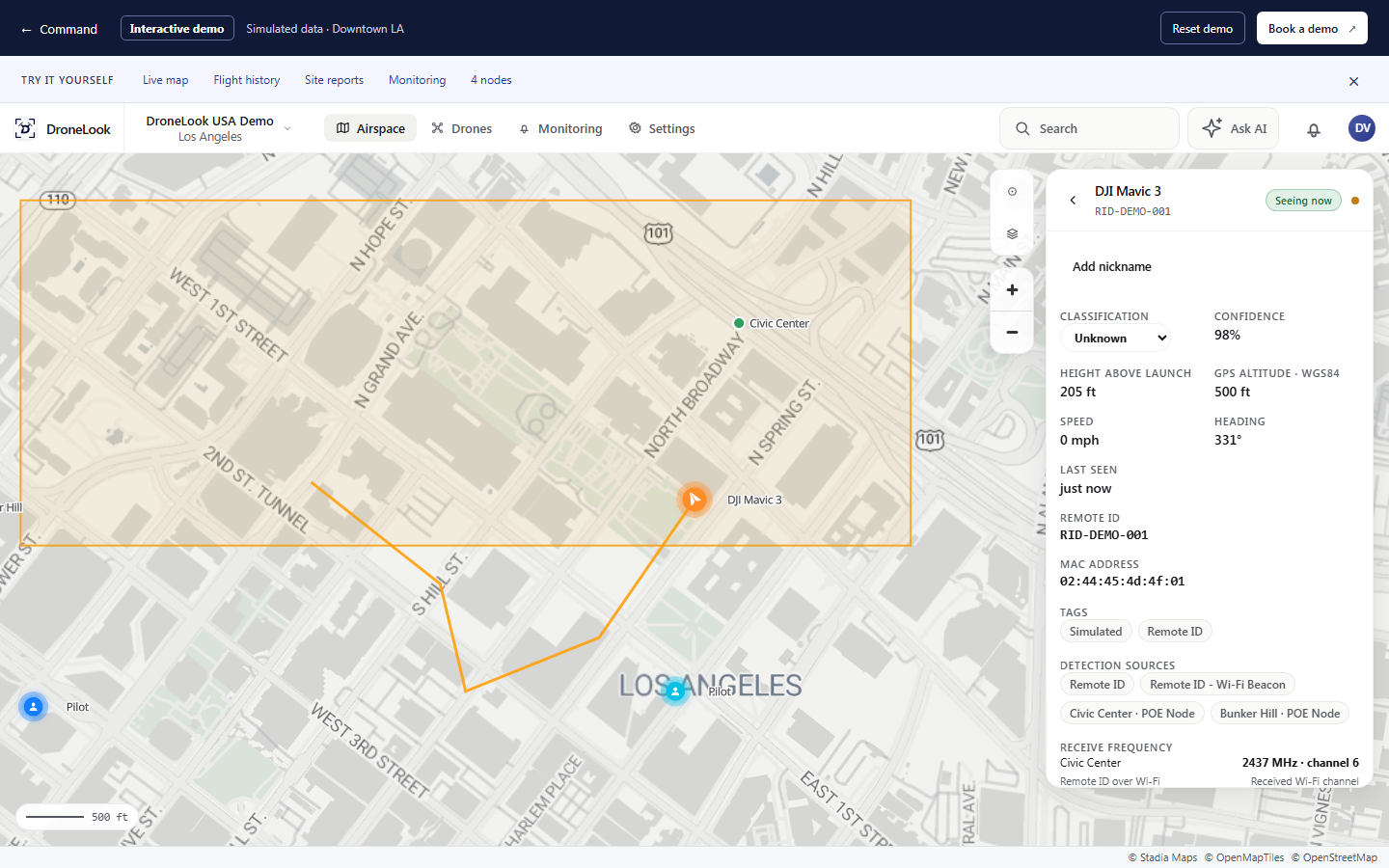
Explore a simulated Downtown Los Angeles network. No login required.
Try it yourselfThe interactive demo follows four simulated aircraft over Downtown Los Angeles: DJI Mavic 3 RID-DEMO-001, DJI Air 3S RID-DEMO-002, DJI Mini 4 Pro RID-DEMO-003, and Autel EVO II RID-DEMO-004. Four sample nodes are positioned at Civic Center, Bunker Hill, Arts District, and South Park. Select an aircraft to inspect its Remote ID, flight trail, reported height, speed, and available pilot location. All activity is simulated.
Review an aircraft’s previous flights, replay its path, and see when and where it was detected.
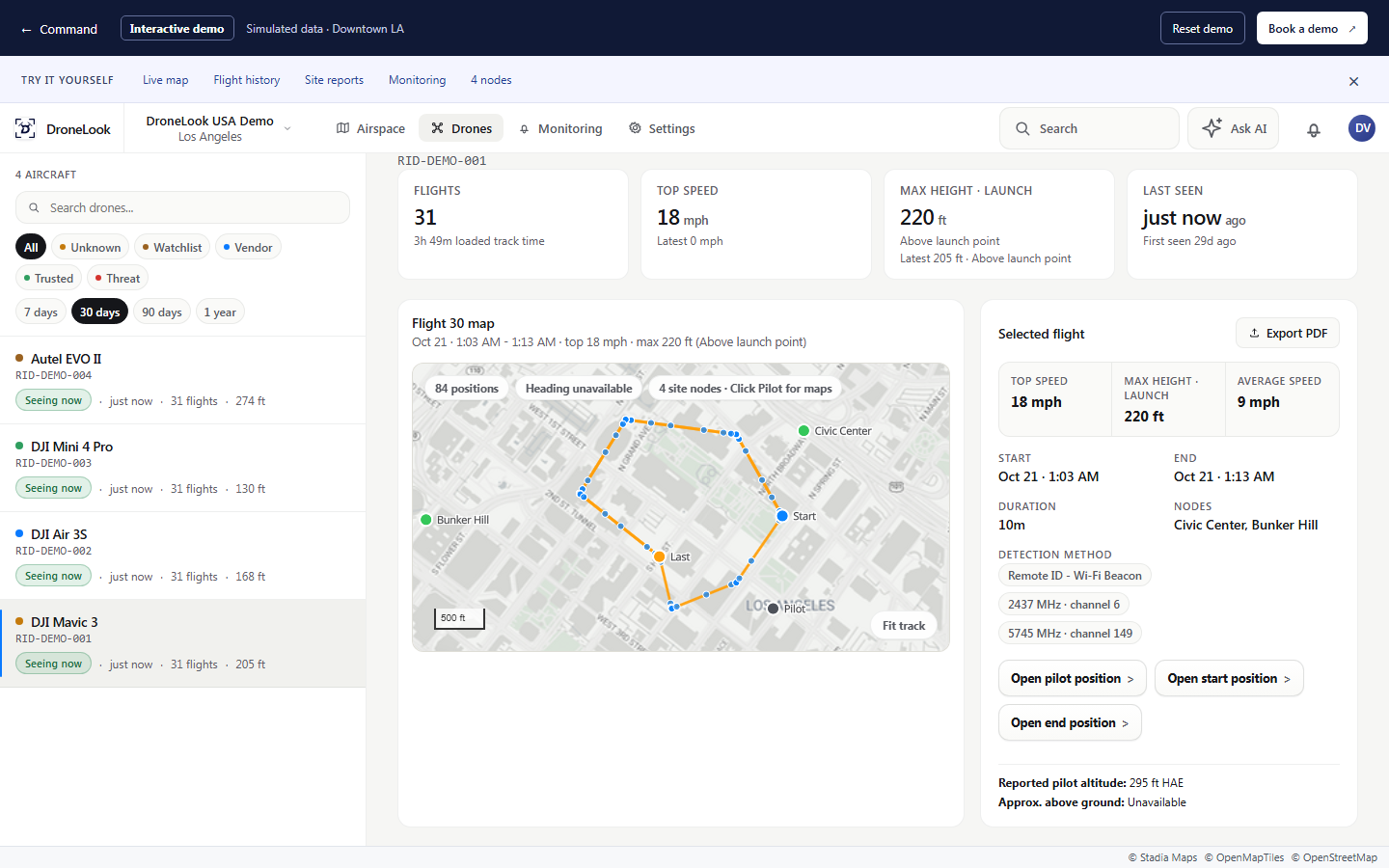
Explore a simulated Downtown Los Angeles network. No login required.
Try it yourselfFlight history uses the same four aircraft and Downtown LA nodes as the live demo. Thirty days of sample flights are available. Open a flight to replay its recorded route, inspect timestamped observations and available pilot positions, or export the sample record. All records and locations represent a simulated deployment.
Review detections across a site, see patterns over time, and use site reports to support incident review.
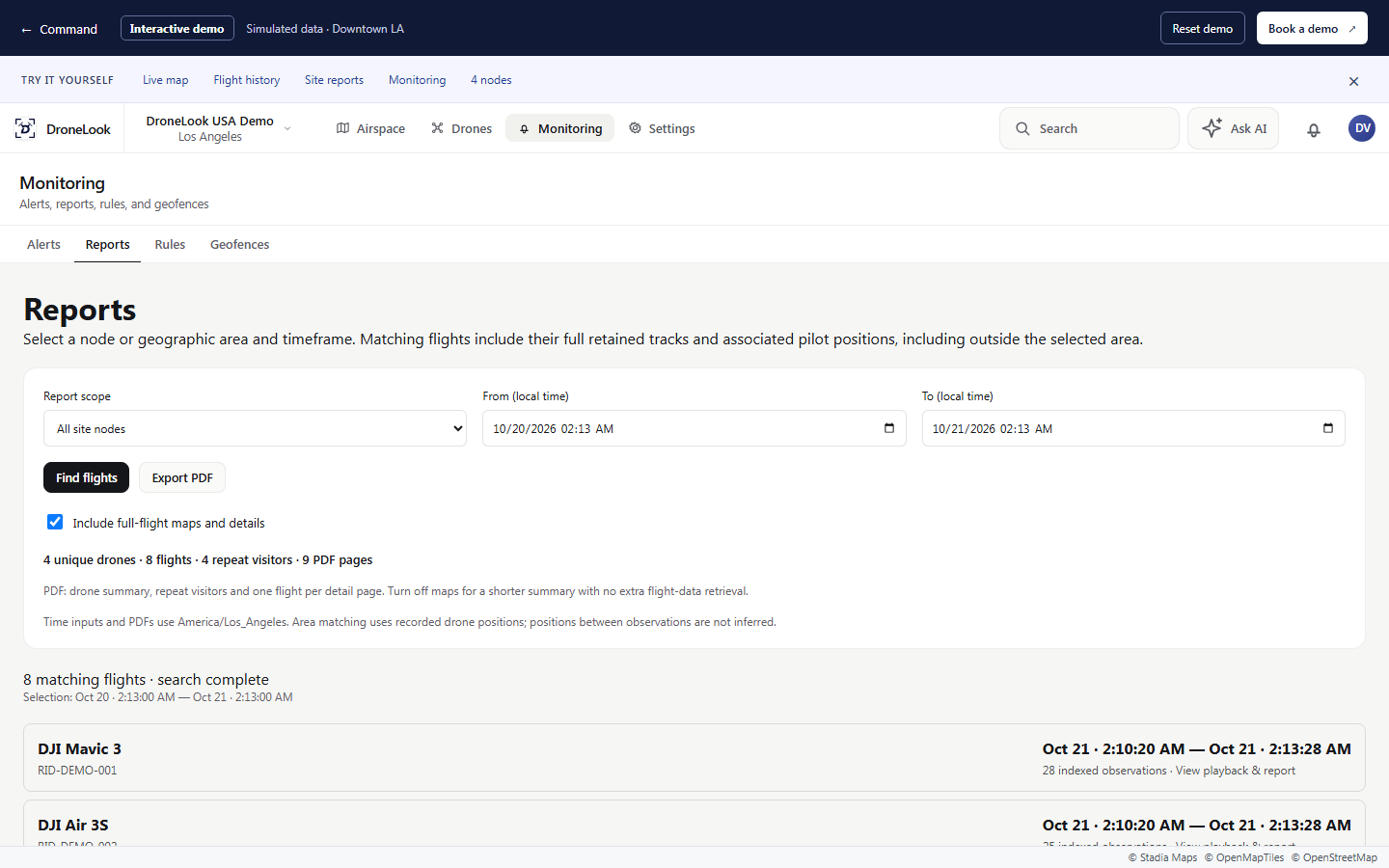
Explore a simulated Downtown Los Angeles network. No login required.
Try it yourselfThe report workspace searches the Downtown LA demo history by timeframe and location. Results use the same DJI Mavic 3, DJI Air 3S, DJI Mini 4 Pro, and Autel EVO II shown in live tracking and flight history. Sample PDF reports can include aircraft counts, flight summaries, routes, and reported pilot locations. The data is simulated.
Define the areas you want to monitor and review alerts in Command, with email and text delivery available.
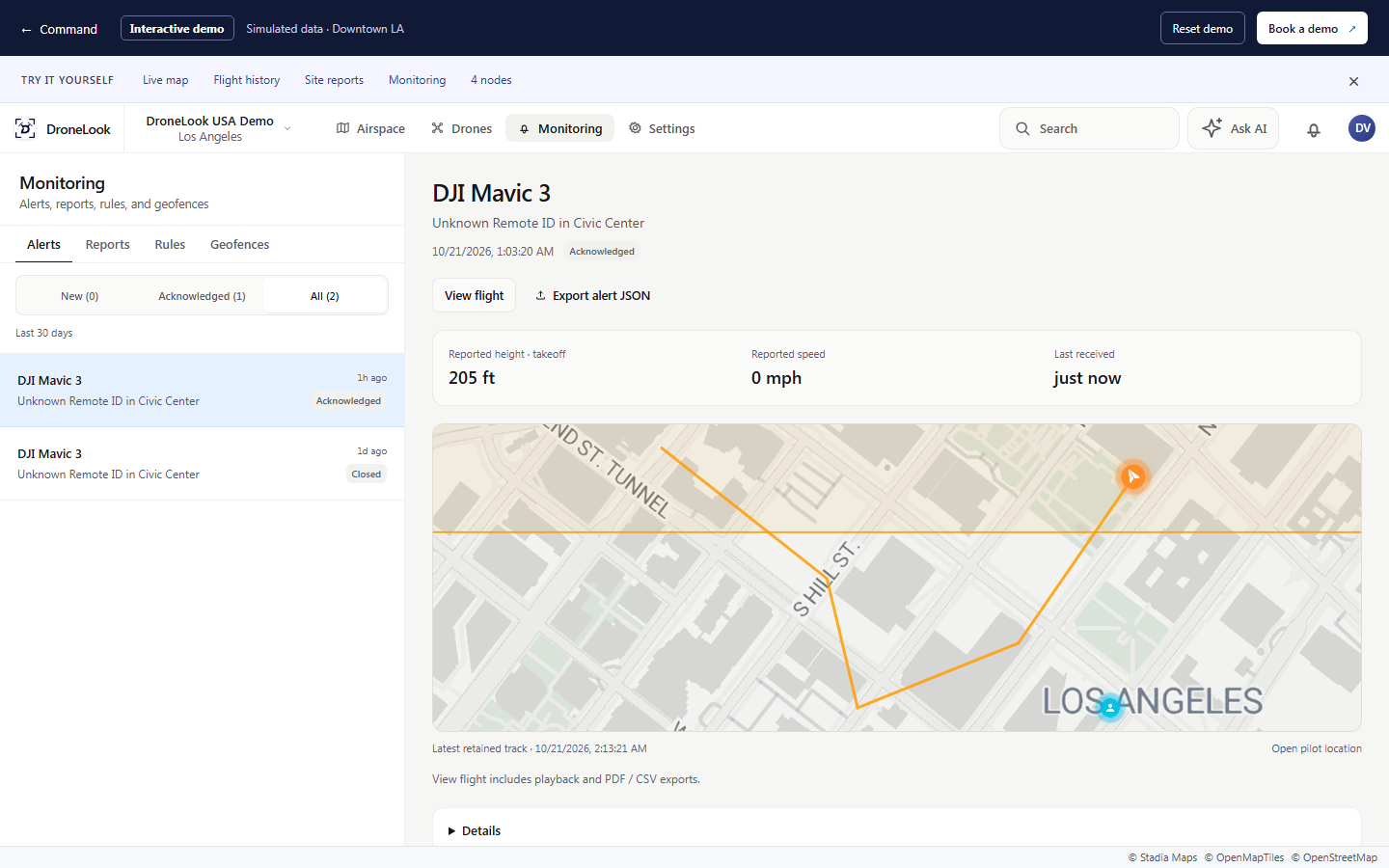
Explore a simulated Downtown Los Angeles network. No login required.
Try it yourselfMonitoring shows sample activity alerts from the Downtown LA scenario. Each alert connects to a demo aircraft and its flight record. Visitors can review the route, acknowledge an alert, and try monitoring rules within their own demo session. No real messages or device commands are sent.
Set monitoring areas and send alerts to the people responsible for the response.
Where it matters
From a single campus to a citywide network, give the people responsible for safety a view of detected drone activity.
Critical infrastructure
Get alerts for detected flights near substations, water facilities, energy sites, and other critical assets. Investigate suspicious activity, recognize repeat aircraft, and keep a record of what happened.
Schools
A drone hovering near a playground or classroom deserves attention. Alert staff to detected flights, review the aircraft’s route, and use available Remote ID information to investigate concerns about unwanted surveillance.
Stadiums & events
A falling drone can injure people and disrupt an event. Give security teams a shared view of detected aircraft, classify approved filming and public-safety drones, and retain flight records to support incident review.
Data centers & corporate facilities
Drones can photograph facility layouts, equipment, and activity beyond the fence. Alert your security team to detected flights around sensitive areas, review where aircraft traveled, and identify repeat visits.
Cities & police
Connect nodes across public spaces, event venues, and municipal facilities. Bring detections into one Command map so police and event teams can follow aircraft, coordinate approved drone operations, and investigate activity across locations.
Built for your site
DroneLook outdoor nodes receive Remote ID broadcasts on 2.4 and 5 GHz and bring detected activity into Command. Start at one location or connect nodes across multiple sites.
Standard PoE connects the node to power and your network through one cable.
Built for permanent outdoor installation where ongoing awareness matters.
Custom off-grid configurations are available based on your site and operating needs.
See it for yourself
Walk through Command with our team and discuss a detection setup for your locations.