
A falling drone
A loss of control above spectators can lead to injuries and property damage. Security staff need timely information to assess the situation and follow the event’s response procedures.
Stadiums & events
A drone above a crowd can create a safety issue and interrupt an event. DroneLook gives security teams a view of detected aircraft, helps them recognize approved operations, and preserves flight records for review.

Why it matters
Event teams need to assess an unfamiliar flight while their own filming, production, and public-safety operations may already be underway.
A loss of control above spectators can lead to injuries and property damage. Security staff need timely information to assess the situation and follow the event’s response procedures.
An unexpected flight can draw attention away from the event and trigger a safety assessment. Knowing where the detected aircraft traveled helps staff understand the incident.
Broadcast crews, contractors, and public-safety teams may have legitimate flights planned. An unfamiliar aircraft creates another issue for those teams to investigate and coordinate around.
Documented incident
Baltimore, Maryland · January 28, 2024
An unlawful drone flight during the Ravens–Chiefs AFC Championship caused the game to be temporarily suspended. The operator later pleaded guilty to violating national defense airspace, according to the U.S. Department of Transportation’s Inspector General.
An unexpected flight can become an event-wide decision. Security teams need a way to review detected aircraft and coordinate with the people managing the venue.
U.S. DOT Office of Inspector General · March 14, 2024 (opens in a new tab)Historical context · Not a DroneLook deploymentCISA documents sporting-event delays and drone crashes that have caused injuries and damage. Its venue guidance addresses prevention, preparation, and response.
CISA · Unauthorized Drone Activity Over Sporting Venues (opens in a new tab)Where DroneLook comes in
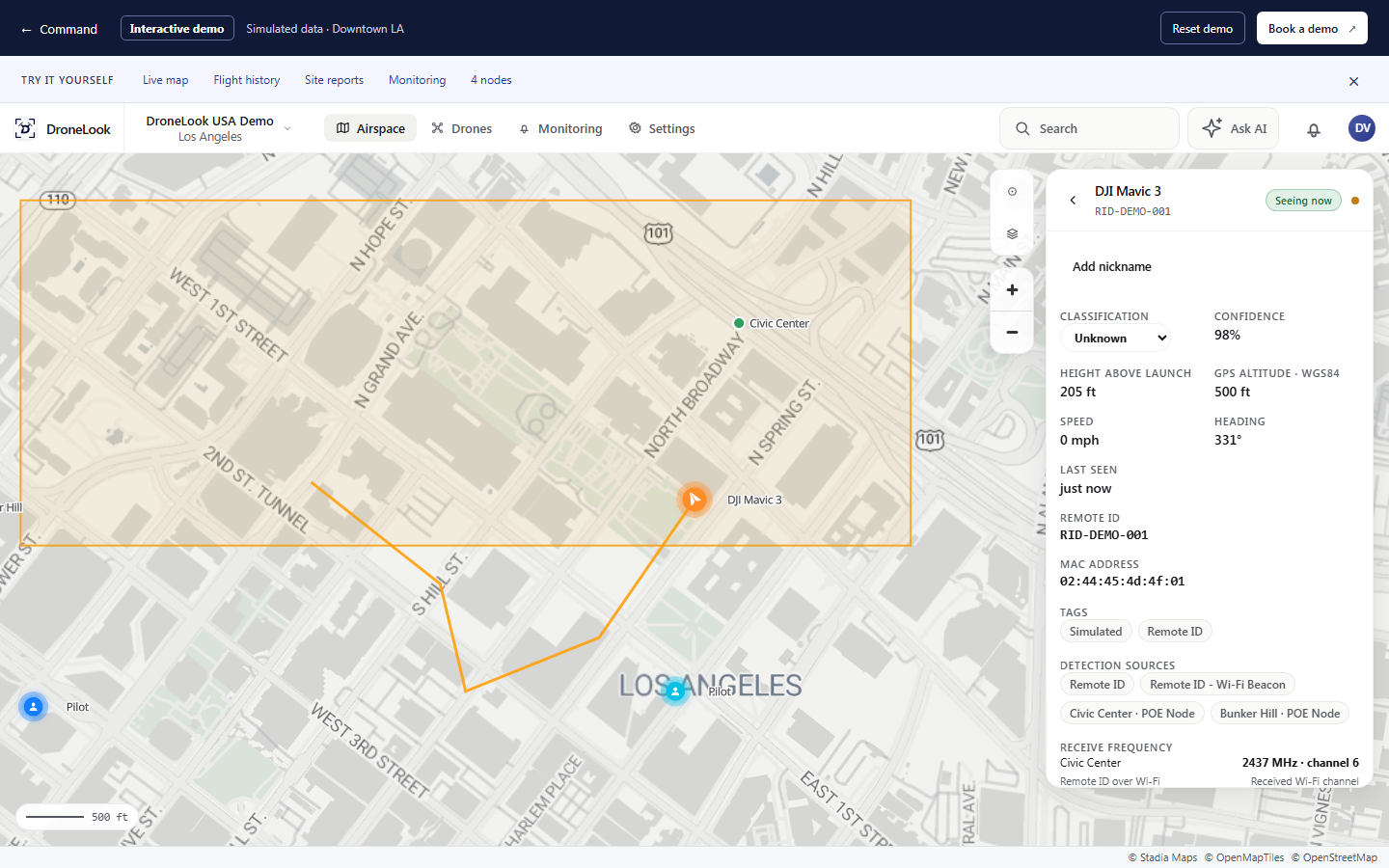
Bring Remote ID detections into Command so security staff can review the same aircraft information and coordinate their next steps.
Set monitoring areas for your venue and send alerts to the team responsible for the event response.
Classify known broadcast, vendor, and public-safety aircraft. Use the map alongside your event’s flight plan to investigate unfamiliar activity.
Review recorded routes and timestamps after an incident. Export reports to support internal review and discussions with the relevant authorities.
Your locations
Monitor detected activity around the venue and the outdoor areas used by arriving and departing spectators.
Plan detection around your event layout and the teams responsible for each area.
Give staff a way to recognize known aircraft while reviewing unexpected detections.
Range varies with the RF environment and site conditions, and may be greater or less. Custom off-grid configurations are available based on your needs.
Your team can classify known aircraft as Trusted or Vendor. Those colors appear on the map so staff can recognize them while checking current operations.
Command keeps recorded flight history with routes, timestamps, and reported flight details. Flight and site reports give your team a record for follow-up.
We can discuss the event layout, available power and connectivity, and monitoring needs. Deployment planning depends on the site and operating requirements.
See it for yourself
Bring your venue, event, and security teams into a demo of the monitoring and reporting workflow.