
Public gatherings
An unfamiliar drone near a crowded event creates a safety question for the people responsible for the response. A location and flight record help them assess the report.
Cities & police
A caller sees a drone. An event team spots another. DroneLook connects detections across your node network so police and municipal teams can review where aircraft flew and what happened before the report.

Why it matters
Public events, municipal facilities, and emergency operations create different reasons to investigate an unfamiliar flight. Teams need useful information they can share.
An unfamiliar drone near a crowded event creates a safety question for the people responsible for the response. A location and flight record help them assess the report.
Public-safety drones and other approved aircraft may already be operating. Staff need to recognize known flights and bring unexpected detections to the operational team’s attention.
A witness may know when they saw a drone but have little information about its route or origin. Recorded detections give investigators more context to work with.
Documented incident
Seattle, Washington · June 2015
Seattle Police reported that a drone struck a building and fell into the crowd at the city’s Pride parade, knocking a woman unconscious. Officers collected the damaged aircraft and witness photographs as evidence.
The incident predates today’s Remote ID requirements. It shows why drone activity belongs in public-event planning and why a useful record matters after a report.
Seattle Police Department · June 29, 2015 (opens in a new tab)Historical context · Not a DroneLook deploymentThe FAA describes Remote ID as a tool that helps law enforcement locate a drone’s control station when a flight appears unsafe or occurs where it is not allowed.
FAA · Remote Identification of Drones (opens in a new tab)Where DroneLook comes in
Connect Remote ID receiving nodes across selected locations. Bring detected activity into Command and send alerts to the staff responsible for those areas.
Place nodes at public spaces, event venues, and municipal facilities. Plan coverage around local conditions and the locations you need to monitor.
See detected aircraft and classify known operations. Review reported flight details and available pilot or takeoff positions.
Search recorded activity for the location and time of a sighting. Use flight history and site reports to support the investigation.
Your locations
Connect awareness around festivals, civic gatherings, and other events where teams coordinate on the ground.
Monitor detected flights near city operations and locations with recurring sighting reports.
Add receiving nodes as your coverage plan grows, with detections brought into one Command workspace.
Range varies with the RF environment and site conditions, and may be greater or less. Custom off-grid configurations are available based on your needs.
No. Start with the locations that have a defined monitoring need, then plan additional nodes around coverage, connectivity, and operating requirements.
Yes. Classify known public-safety aircraft and use detections as additional information for the team coordinating those operations.
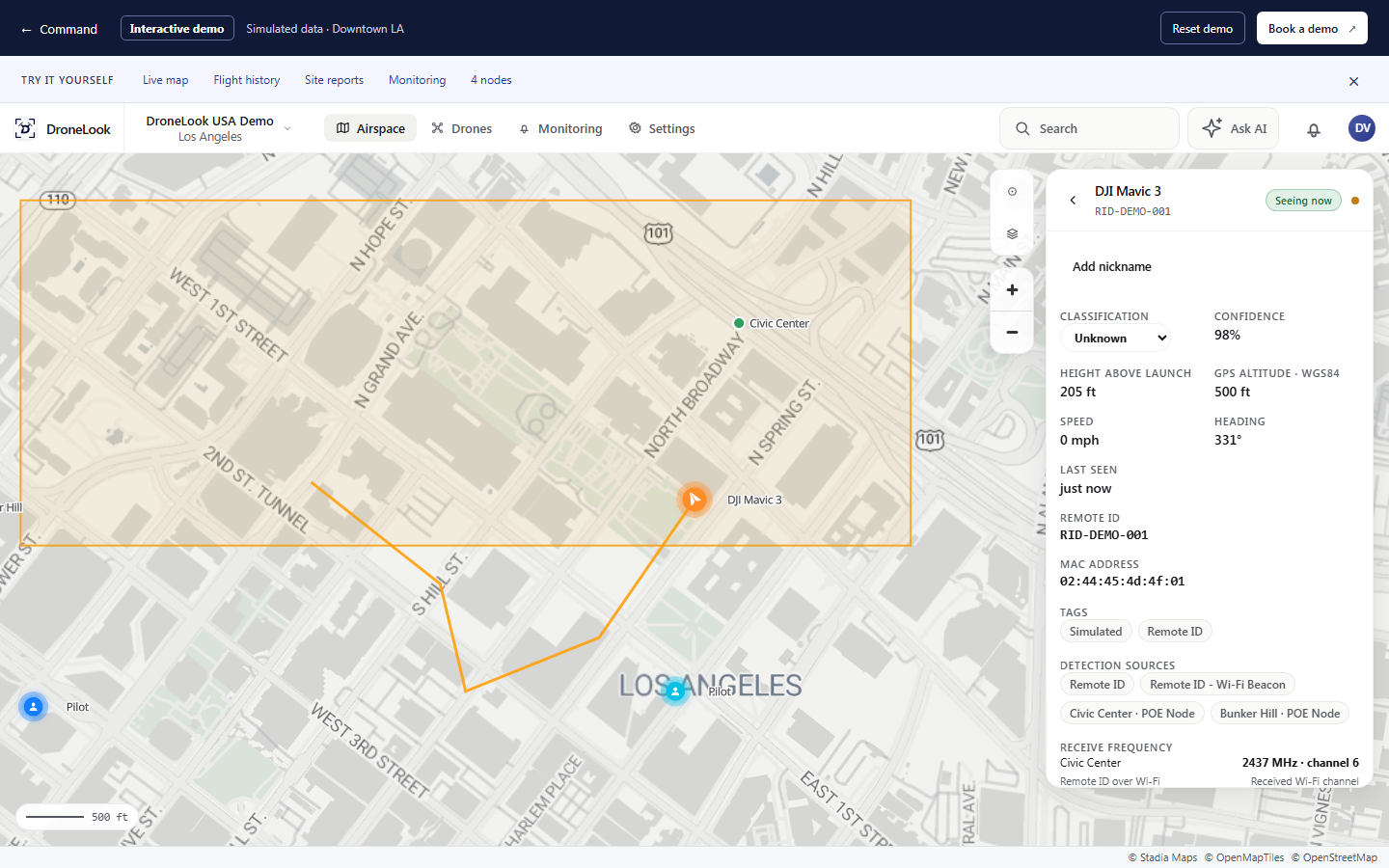
The interactive Command demo includes four receiving nodes and simulated aircraft across Downtown Los Angeles, with flight history, reports, and monitoring to explore.
See it for yourself
Show us where your teams need drone awareness. We’ll walk through a node network and the Command workflow together.