
Aerial reconnaissance
A camera above the perimeter can observe equipment layouts and site activity. An unexpected flight near a sensitive asset gives security staff a reason to investigate what was exposed.
Critical infrastructure
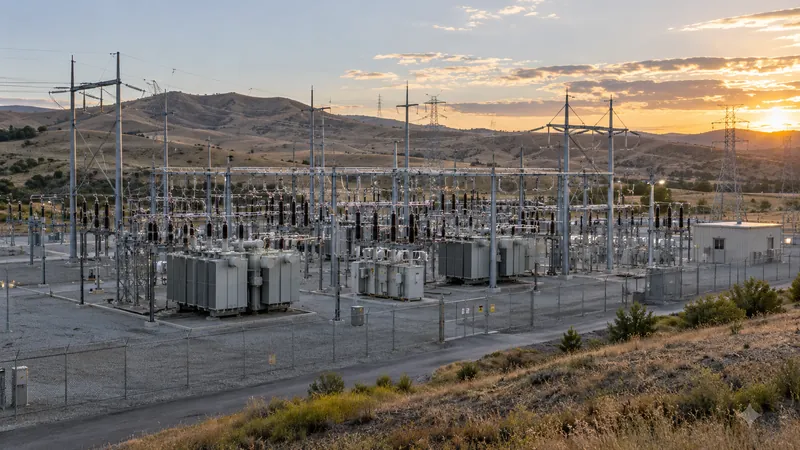
An unfamiliar drone near a substation, water plant, or fuel terminal raises questions. Where did it fly? Has it been here before? DroneLook gives your team alerts and flight records to start answering them.
Why it matters
A flight can bring sensitive equipment, access points, and daily operations into view. The first step is knowing when the activity deserves a closer look.
A camera above the perimeter can observe equipment layouts and site activity. An unexpected flight near a sensitive asset gives security staff a reason to investigate what was exposed.
A passing sighting is easy to lose track of. Repeated flights near the same equipment or entrance deserve a record that your team can compare with camera footage and incident reports.
Your own teams and contractors may be flying legitimately. Staff need a way to recognize known aircraft and check activity that does not match the work they expect.
Documented case
Nashville, Tennessee · 2024 plot / 2025 guilty plea
In September 2025, a man pleaded guilty to attempting to attack a Nashville energy facility using a drone and explosives. The FBI disrupted the plot before the attack took place.
The case belongs in a broader site-security assessment. DroneLook’s role is routine Remote ID awareness: alerts for detected flights and records your team can investigate.
U.S. Department of Justice · September 9, 2025 (opens in a new tab)Historical context · Not a DroneLook deploymentCISA’s facility-security guidance identifies hostile surveillance and disruption among the ways drones can be misused.
CISA · Protecting Against the Threat of Unmanned Aircraft Systems (opens in a new tab)Where DroneLook comes in
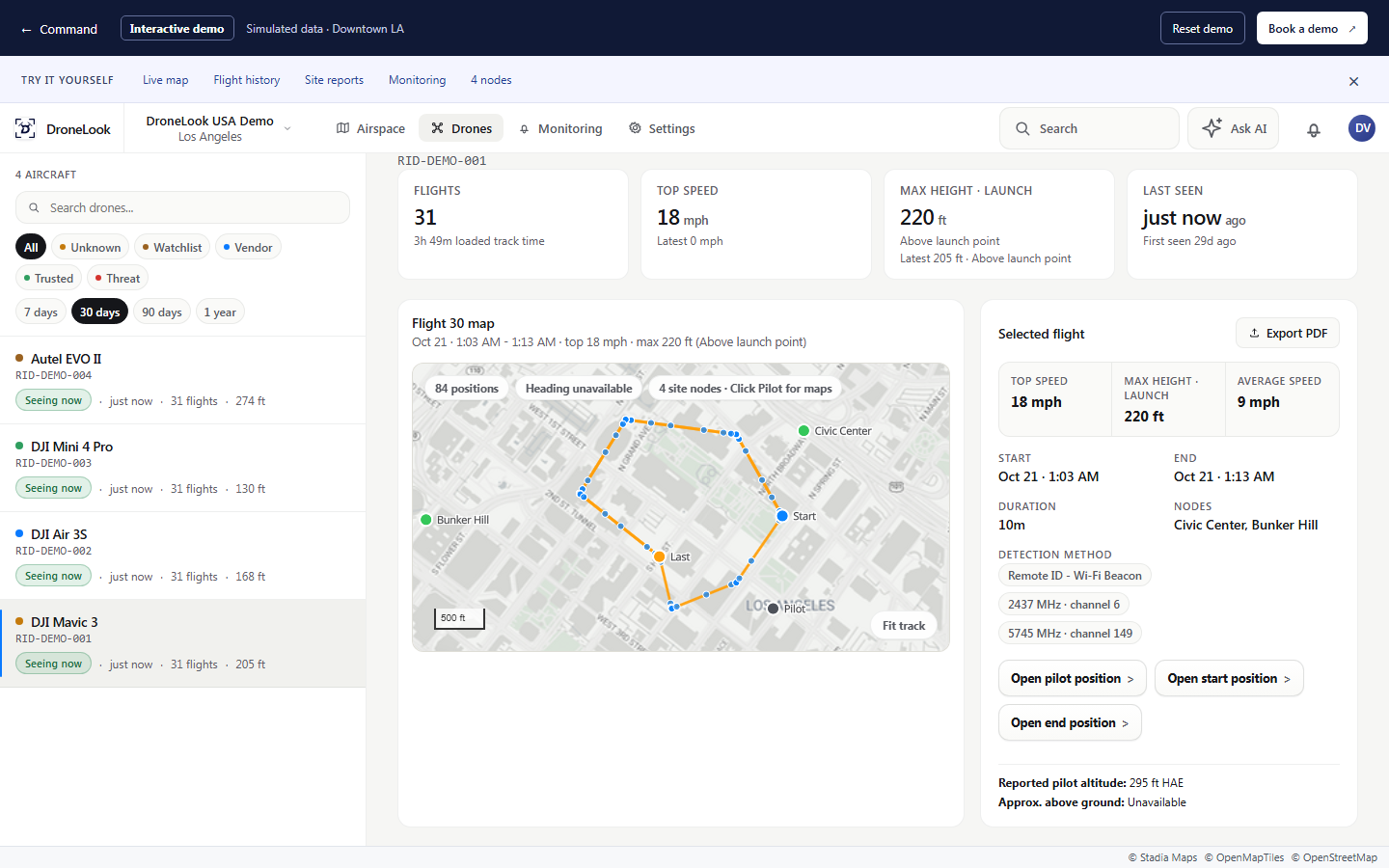
DroneLook receives Remote ID broadcasts and brings detected activity into Command. Your existing staff can receive an alert, inspect the flight, and decide how to respond.
Set monitoring areas around the locations that matter. Receive alerts in Command, by email, and/or by text message.
Classify company and contractor drones. Color-coded markers help staff distinguish known aircraft from detections they need to review.
Review recorded routes, reported flight details, and previous detections. Use flight and site reports to support your investigation.
Your locations
Substations, generating facilities, and equipment yards where security teams need to distinguish inspection work from unexpected flights.
Treatment facilities, reservoirs, and pumping stations spread across a district or service area.
Refineries, storage terminals, and other facilities with sensitive equipment and ongoing contractor operations.
Range varies with the RF environment and site conditions, and may be greater or less. Custom off-grid configurations are available based on your needs.
Yes. Connect nodes at your locations and review detected activity in Command. We can discuss placement and coverage around the assets your team wants to monitor.
Your team can classify known aircraft as Trusted or Vendor. Those classifications appear on drone and pilot markers, helping staff review detections in the context of your operations.
The outdoor node uses standard PoE for power and network connectivity. Custom off-grid configurations can be discussed around the site’s needs.
See it for yourself
Show us your facilities and how your team handles drone sightings today. We’ll walk through a setup and response workflow for your sites.